In these days of coronavirus (COVID-19), many places have imposed a limit on the number of occupants. Our people counting system helps you comply with the capacity constraints.
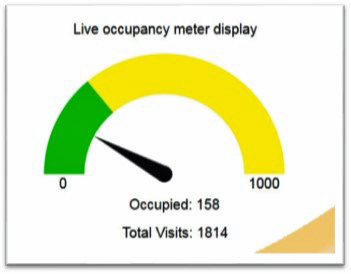
The system counts all incoming and outgoing people, and calculates the current occupancy. It displays the information in a number of ways, and also alerts you when getting near to, or exceeding, the capacity.
- A virtual occupancy meter shows people counts via smartphone or computer
- An LED display on the premises shows the number of occupants and flashes an alert when nearing the maximum
- The system can also send texts when occupancy approaches or passes its threshold.
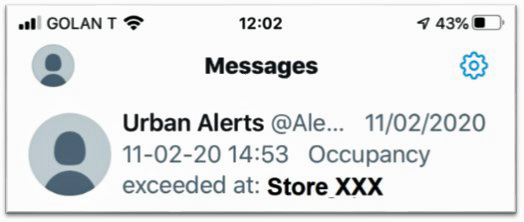
Example of a text alert
How it works
The system uses computer vision to act as an occupancy sensor. Cameras are positioned over all entrances and counts in and out recorded. The occupancy information is stored in the cloud and made available over the Internet-of-Things to authorised applications.
The occupancy numbers can be logged so you have a record of your compliance with capacity restrictions. You can also see how many people entered and left every hour or every day, for example, over the past weeks or months.
Any questions? E-mail or call us on +44 (0)161 839 6437. You can also download our occupancy monitoring leaflet.